To build an enterprise AI agent, you define what it should know and do, connect it to your data and systems, wrap its actions in governed workflows, test it against real questions, and publish it with version control and permissions. On flexday.ai, all five steps happen in one AI agent builder, so the agent you test is the agent you ship.
Many agent builders stop at the chat window. Enterprise agents also need to open the case, update the record and leave an audit trail. This guide walks through how agents, flows and testing fit together on the flexday.ai platform, using real screens from the product.
What is an enterprise AI agent?
An enterprise AI agent is a scoped AI worker with a role, a set of tools, guardrails and access to company data. On flexday.ai, an agent also sees a view of your business ontology, so it knows what your terms mean, and every step it takes is logged.
Agents differ from chatbots in one way that matters: they act. An HR agent does not just explain the leave policy; it can raise the HR case, check its status and cancel it if the employee changes their mind.
Step 1: Describe the idea, or start from a template
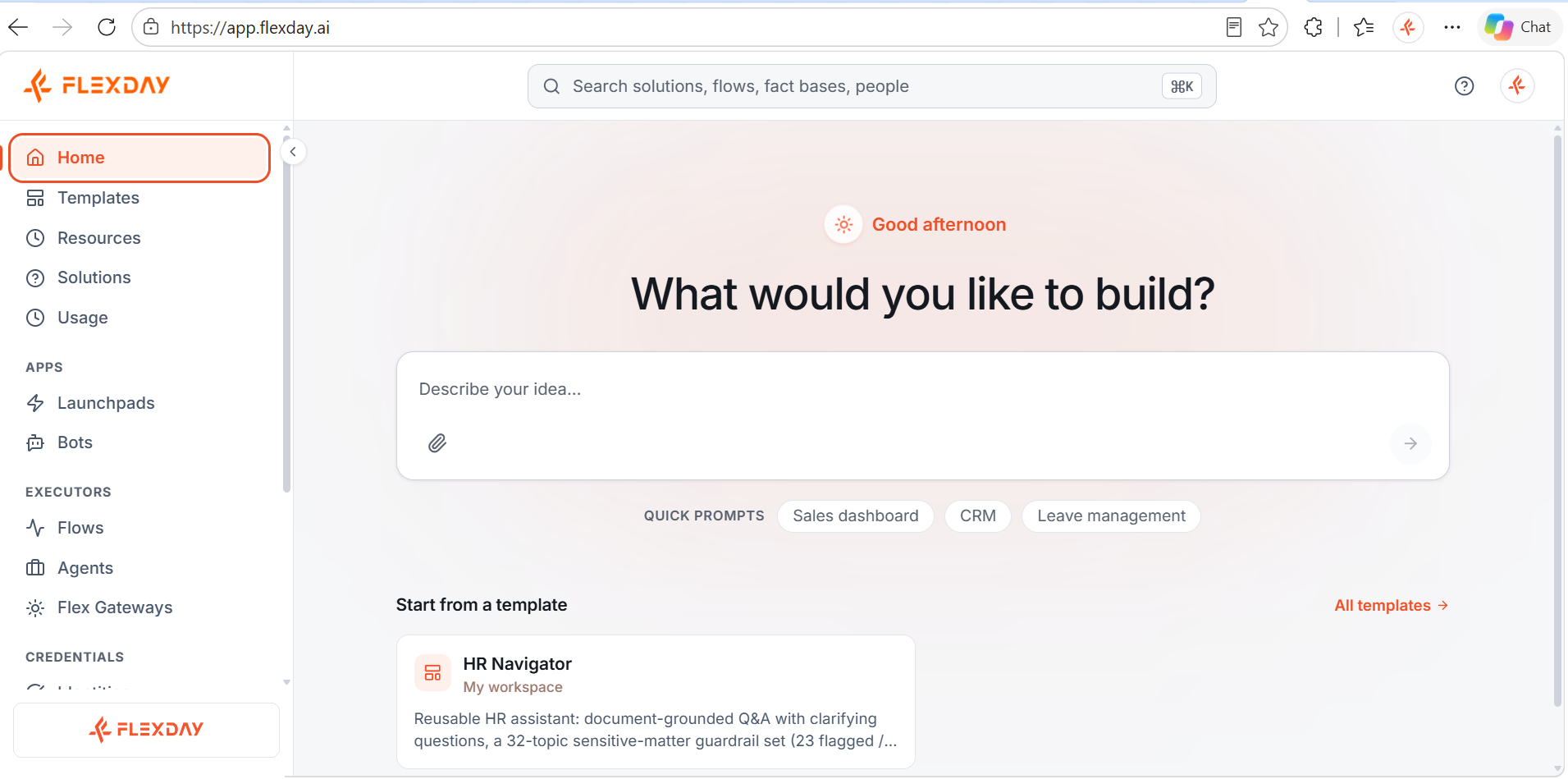
The flexday.ai home screen asks one question: What would you like to build? You describe the idea in plain English, attach documents if you have them, or pick a quick prompt such as a sales dashboard, a CRM or leave management.
If a similar solution already exists, start from a template instead. Templates clone a working app, including its data, screens and definitions, into a new solution of your own. One example is an HR Navigator template: a reusable HR assistant with document-grounded Q&A, clarifying questions and a 32-topic guardrail set for sensitive matters.
Step 2: Ground the agent in your data
An agent is only as good as what it can read. On flexday.ai you give it:
Fact bases of documents and records, such as policies, product specs or contracts
Connectors to systems of record, such as Workday, SAP, Salesforce and ServiceNow
An ontology view, so the agent understands that a "site", a "plant" and a "location" may mean the same thing
The platform works before your data is ready. Teams can build against documents, exports and synthetic data, then swap in live systems without rewriting the agent.
Step 3: Add flows so the agent can act
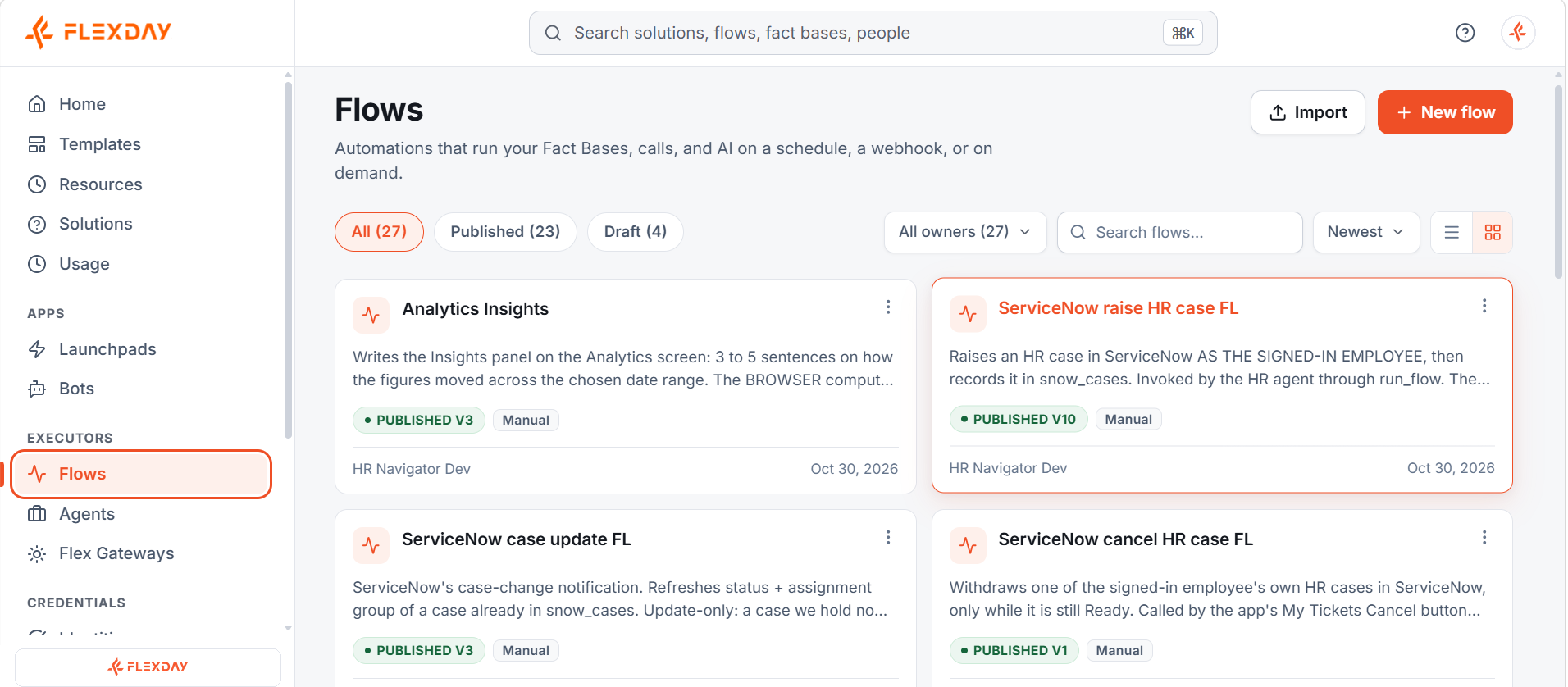
A flow is a governed automation that runs your fact bases, system calls and AI steps on a schedule, a webhook or on demand. Agents call flows when they need something done the same way every time.
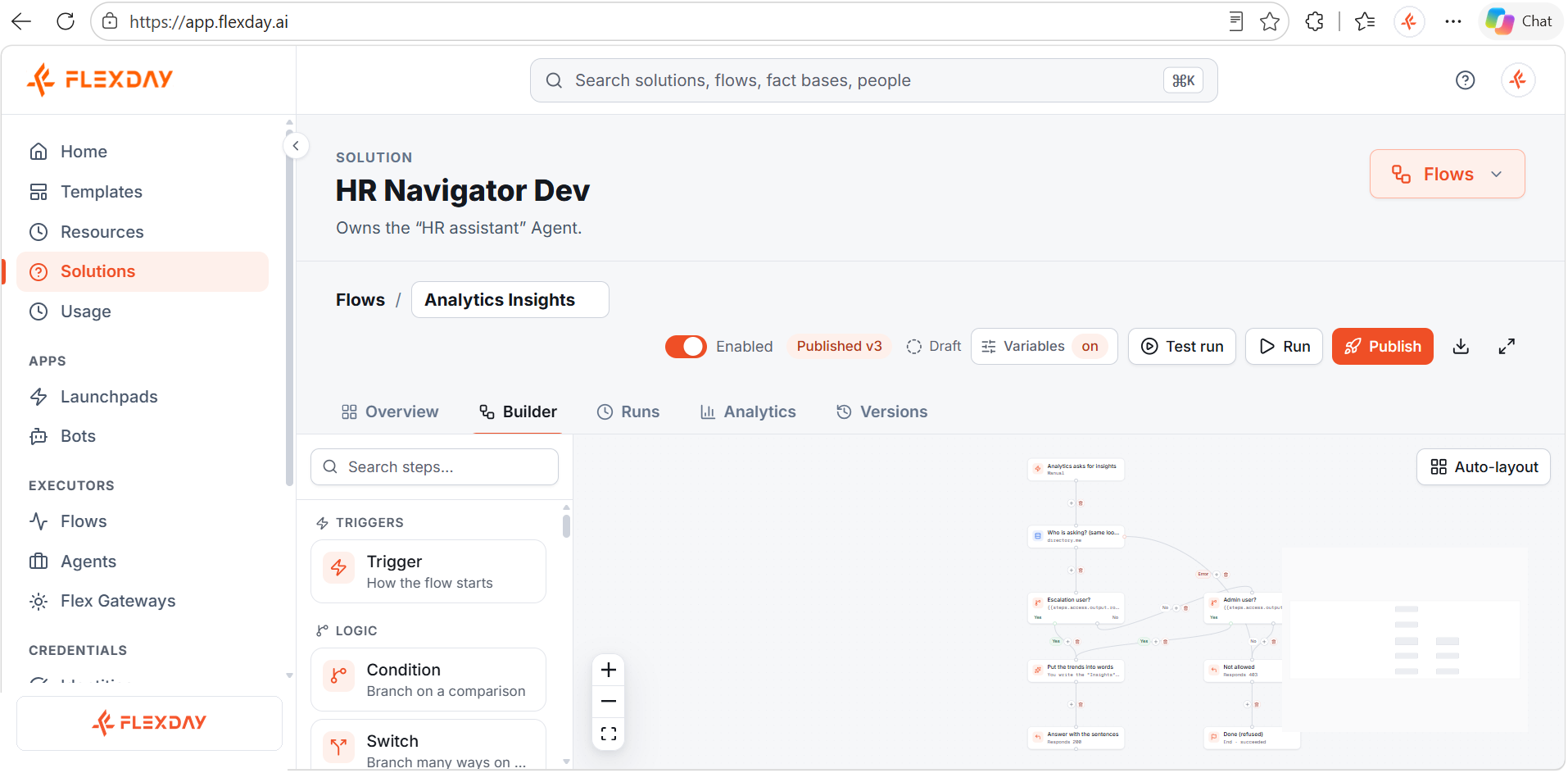
In the flow builder, you assemble steps from a library: triggers that start the flow, logic such as conditions and switches, and actions that call systems or AI. Auto-layout keeps the graph readable. A simple analytics flow, for example, checks who is asking, branches on whether they are an admin or an escalation user, writes a few sentences of insight, and refuses politely if the user is not allowed.
Typical flows behind an HR agent look like this:
| Flow | What it does | Started by |
|---|---|---|
| Raise HR case | Opens a case in ServiceNow as the signed-in employee and records it | The HR agent |
| Case update | Refreshes status and assignment group of an existing case | ServiceNow notification |
| Cancel HR case | Withdraws the employee's own case while it is still open | A Cancel button in the app |
| Analytics insights | Writes a short summary of how figures moved over a date range | The analytics screen |
Each flow has an Overview, Builder, Runs, Analytics and Versions view, so you can see every execution and roll back if needed.
Step 4: Test the agent in the playground
Before anyone else sees it, chat with the agent in the agent playground, a built-in chatbot for testing. Ask it the questions your users will ask. Check that it cites the right source, asks a clarifying question when it should, calls the right flow, and refuses or escalates on sensitive topics.
Flows have their own Test run button, and variables can be set for each run. For release-level confidence, subject-matter experts maintain a golden set of questions and expected answers. flexday.ai runs it as a regression test on every release and alerts on drift.
Step 5: Publish with versions, permissions and channels
When the agent passes its tests, publish it. Every flow and solution is versioned, so you always know what is live, what is a draft and what changed. Permissions come from your identity provider, and an agent can never show a user something that user could not already see.
Agents reach users through Launchpads and Bots: web chat, Microsoft Teams, Slack, review consoles, embedded components or a REST API.
What makes this an enterprise AI agent builder?
| Capability | Why it matters |
|---|---|
| Agents plus deterministic flows | Conversations stay flexible; system actions stay predictable |
| Human-in-the-loop gates | Low-confidence or sensitive decisions go to a person |
| Full audit trail | Every prompt, context and decision is logged |
| Version control | Draft, test, publish and roll back like software |
| No-code to full code | Business users and engineers build the same solution |
| Model choice | Claude by default, or your own endpoint per solution |
| Compliance | SOC 2, ISO 27001, ISO 42001, HIPAA, GDPR and more |
Frequently asked questions
What is the difference between an AI agent and an AI workflow?
An agent reasons about what to do next. A workflow, or flow, runs fixed steps in a fixed order. Enterprise solutions use both: the agent decides, the flow executes.
Can AI agents take actions in ServiceNow, SAP or Workday?
Yes. On flexday.ai, agents call flows that act in systems such as ServiceNow, SAP and Workday, using the signed-in user's identity and permissions.
How do you test an AI agent before launch?
Chat with it in a playground, test-run its flows, then run a golden set of expert-approved questions as a regression test on every release.
Do I need to code to build an agent on flexday.ai?
No. You can build with a conversational builder or templates. Engineers can switch to low-code or full code on the same solution.
Build your first agent
Start from a template or a one-line idea, and test it on your own data. Talk to Flexday about a six-week proof of concept, or read What Is an Enterprise AI Platform?